

01 / WORKFLOWS
Compose the complete robot workflow
Connect reusable nodes for devices, perception, CUDA, ROS 2, simulation, data, training, and control through typed ports.
Create typed visual workflows, test robots in simulation, train models and policies, then deploy to real hardware or Blacknode Cloud.
FLEET READY Manage robot fleets and deliver software updates over the air from the same workspace.
No install required for the preview. Create graphs, use templates, and run portable workflows on Blacknode Cloud.
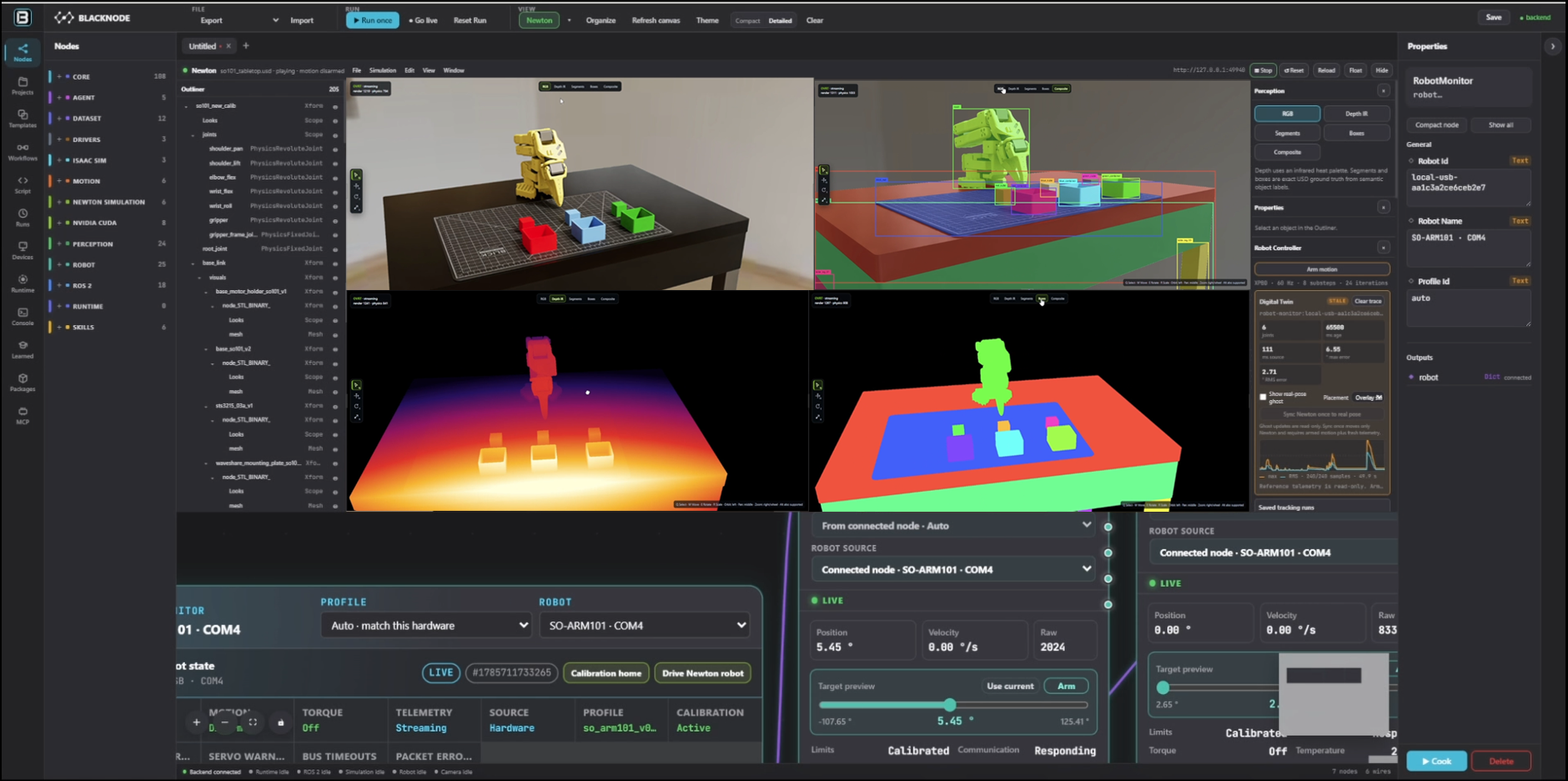
A Project keeps workflows, paired computers, attached robots, deployments, datasets, training runs, policies, and simulation results together.
Connect reusable nodes for devices, perception, CUDA, ROS 2, simulation, data, training, and control through typed ports.
Use Newton physics, synchronized 3D views, rendering passes, telemetry, and replay to understand each run.
Prepare computers and robots from the editor, validate the exact workflow and capabilities, then send or run.
Physical motion stays behind calibration, joint limits, fresh feedback, explicit authorization, and safe shutdown.
Inspect and control the same structured workflow through the visual editor, Python, CLI, HTTP, WebSocket, and MCP.
Send a portable workflow to hosted GPU infrastructure from the same editor. Follow progress, inspect logs and metrics, then download the resulting artifacts.
One credit represents one second of measured GPU compute.
Verify your email to unlock signup credits. Your credits remain saved while verification is pending.
The graph stays understandable and portable as work moves from browser exploration to local development, paired hardware, and hosted GPU execution.
Create and validate a typed graph in the visual editor.
Use local compute, a paired device, or Blacknode Cloud.
Watch state, logs, metrics, artifacts, and replayable results.
Browser workspaces are isolated and expire after 24 hours. Cloud jobs and artifacts stay with your signed-in account. Install Blacknode to work with local files, packages, devices, cameras, ROS 2, CUDA, and connected robot hardware.
The Blacknode editor, runtime, workflow format, package system, and device deployment tools are available for local and self-hosted operation. Cloud usage funds hosted compute, security, releases, and continued open-source development.
git clone https://github.com/temiroff/Blacknode.git
cd Blacknode
.\start.bat